
Wired vs. Wireless Home Networks: The Real Trade-Offs
Ethernet and Wi-Fi each have genuine strengths and weaknesses. See how they compare across speed, reliability, cost, and convenience.
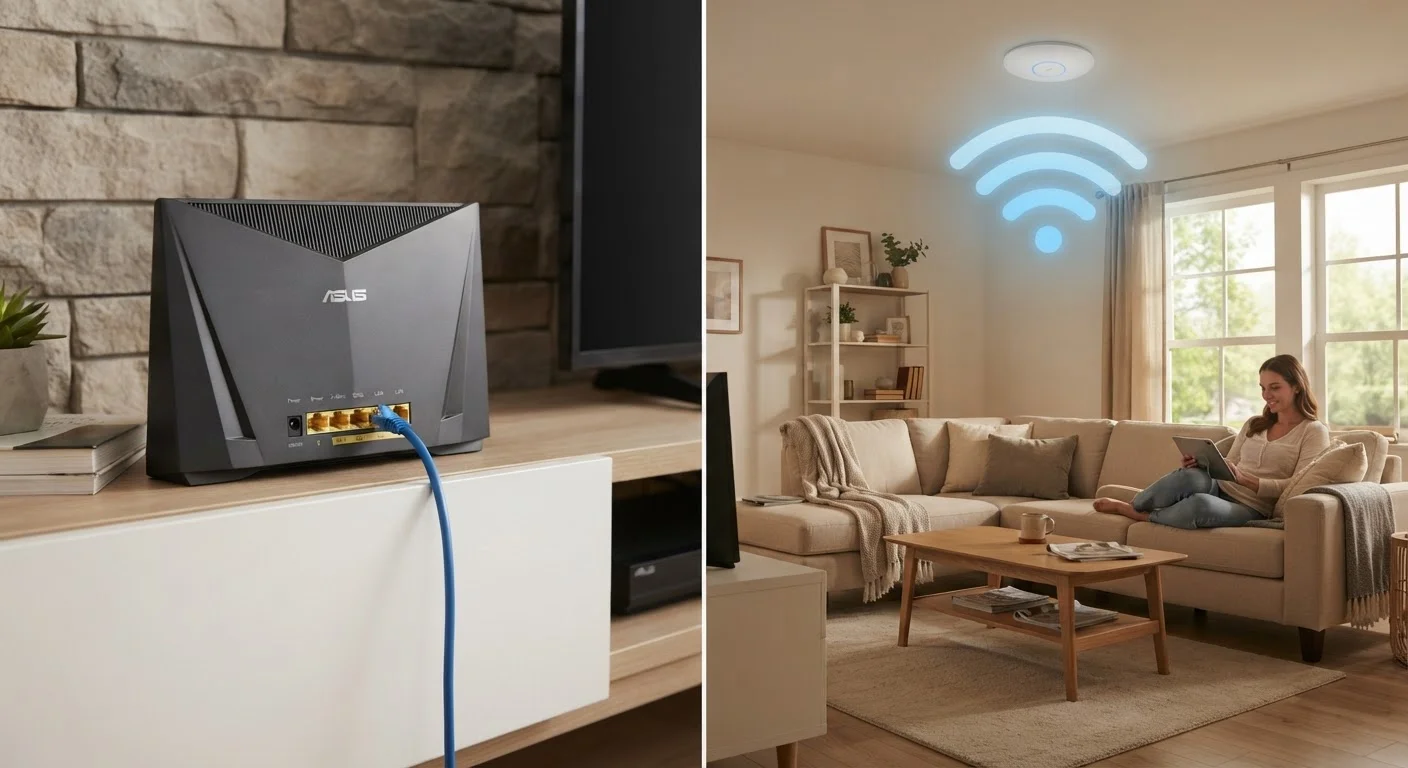
Photo: HorizonMetric.com | One Destination For Everyday Insights editorial
—— In This Article
Key Takeaways
- Wired (Ethernet) connections are faster and more reliable but require running cables through your home.
- Wi-Fi offers convenience and mobility but is subject to interference and variable speeds.
- Most homes benefit from a hybrid approach: wire the devices that need it, use Wi-Fi for the rest.
- Latency — the delay before data travels — is consistently lower on wired connections.
- Security differs between the two; neither is inherently safe without proper configuration.
Consistently faster speeds with no interference
A wired connection isn't affected by neighboring networks, physical obstacles, or competing devices. Speeds stay close to your plan's maximum regardless of how many devices are on the network.
Lower latency — critical for gaming and video calls
Ethernet typically delivers latency well under 5 milliseconds on a local network, compared to Wi-Fi which can spike higher under load. For real-time applications like online gaming or video conferencing, that difference is noticeable.
More reliable; no signal drops or dead zones
Wired connections don't drop because you moved to a different room or a neighbor's network started broadcasting on the same channel. Once the cable is plugged in, the connection is stable.
No cables means true device mobility
Wi-Fi lets phones, laptops, and tablets move freely throughout your home without being tethered to a wall port — something Ethernet simply cannot offer for mobile devices.
Easier setup — no drilling or cable runs required
A Wi-Fi network requires only a router in a reasonable location. Getting started takes minutes compared to the hours or professional help sometimes needed to run Ethernet through walls.
Supports dozens of devices simultaneously
Modern Wi-Fi 6 routers are designed to handle many connected devices at once — smart speakers, thermostats, phones, tablets — without requiring a cable port for each one.
Running cables through walls is disruptive
Getting Ethernet to every room often means drilling holes, fishing cable through walls, or hiring someone to do it. In rentals or older homes, this can be impractical or prohibited.
Devices must be stationary to stay connected
Ethernet only works while a cable is plugged in. Any device you carry — a phone, tablet, or laptop — loses its wired connection the moment you unplug it.
Signal subject to interference from walls and devices
Wi-Fi radio waves are weakened by thick walls, floors, and appliances like microwaves. In dense apartment buildings, overlapping networks from neighbors can also reduce speeds.
Speeds and reliability vary by location in the home
A device close to the router typically gets strong, fast Wi-Fi; a device two floors away may get a weak signal with slower speeds. Wired connections don't have this distance problem.
Security depends heavily on correct configuration
An improperly secured Wi-Fi network — weak passwords, outdated encryption — can be accessed by unauthorized users within range. Wired access requires physical presence to intercept.
What We're Actually Comparing
When people talk about their home network, they're usually talking about one of two things: a physical Ethernet cable plugged directly into a device, or a Wi-Fi signal broadcast wirelessly from a router. Both connect you to the internet through your router, but they do it in very different ways — and those differences matter depending on what you're doing online.
Ethernet uses a cable (typically a Cat5e or Cat6 cable, the kind with a wide plastic plug on each end) to create a direct, dedicated path between your device and the router. Wi-Fi sends data as radio waves through the air, letting your devices connect without any physical tether.
Understanding how bandwidth, speed, and latency actually differ is a useful starting point before weighing which connection type fits your home.
Consistently faster speeds with no interference
A wired connection isn't affected by neighboring networks, physical obstacles, or competing devices. Speeds stay close to your plan's maximum regardless of how many devices are on the network.
Lower latency — critical for gaming and video calls
Ethernet typically delivers latency well under 5 milliseconds on a local network, compared to Wi-Fi which can spike higher under load. For real-time applications like online gaming or video conferencing, that difference is noticeable.
More reliable; no signal drops or dead zones
Wired connections don't drop because you moved to a different room or a neighbor's network started broadcasting on the same channel. Once the cable is plugged in, the connection is stable.
No cables means true device mobility
Wi-Fi lets phones, laptops, and tablets move freely throughout your home without being tethered to a wall port — something Ethernet simply cannot offer for mobile devices.
Easier setup — no drilling or cable runs required
A Wi-Fi network requires only a router in a reasonable location. Getting started takes minutes compared to the hours or professional help sometimes needed to run Ethernet through walls.
Supports dozens of devices simultaneously
Modern Wi-Fi 6 routers are designed to handle many connected devices at once — smart speakers, thermostats, phones, tablets — without requiring a cable port for each one.
Where Wired Connections Have the Edge
Ethernet's biggest advantages are consistency and low latency. Latency refers to the small delay between when your device sends a request and when it gets a response — think of it as the reaction time of your connection. Because data travels through a cable rather than through the air, it's not competing with neighboring Wi-Fi networks, microwaves, or thick walls for signal space.
That consistency makes a meaningful difference for video calls, online gaming, and large file transfers. A wired desktop PC or a gaming console plugged directly into a router will almost always perform better than the same device on Wi-Fi, especially in apartments or dense neighborhoods where many overlapping Wi-Fi networks create congestion.
Security is another area where wired has a quiet advantage: someone has to physically access your cable to intercept wired traffic, whereas Wi-Fi signals radiate outward and can, in theory, be captured by someone nearby. This doesn't mean Wi-Fi is inherently insecure — good passwords and encryption matter far more — but it's worth noting. See our guide to home network security habits for practical steps that apply to both connection types.
Where Wi-Fi Wins
Wi-Fi's core advantage is simple: no cables. A phone, tablet, or laptop can move from room to room — or out to the back porch — without losing its connection. That freedom is why Wi-Fi is the default for most devices people actually carry around.
Wi-Fi has also become genuinely fast. Modern routers using the Wi-Fi 6 standard (sometimes labeled 802.11ax) can deliver speeds that rival wired connections under good conditions. For households with internet plans under 500 Mbps, the speed difference between wired and wireless may be nearly imperceptible for everyday tasks like streaming and browsing.
Setup is also far simpler. Installing a Wi-Fi network means placing a router; no drilling through walls or snaking cables under floors. If you live in a rental or simply don't want to deal with the hassle of running Ethernet, Wi-Fi is the practical default — though you can optimize it significantly by positioning your router correctly.
Running cables through walls is disruptive
Getting Ethernet to every room often means drilling holes, fishing cable through walls, or hiring someone to do it. In rentals or older homes, this can be impractical or prohibited.
Devices must be stationary to stay connected
Ethernet only works while a cable is plugged in. Any device you carry — a phone, tablet, or laptop — loses its wired connection the moment you unplug it.
Signal subject to interference from walls and devices
Wi-Fi radio waves are weakened by thick walls, floors, and appliances like microwaves. In dense apartment buildings, overlapping networks from neighbors can also reduce speeds.
Speeds and reliability vary by location in the home
A device close to the router typically gets strong, fast Wi-Fi; a device two floors away may get a weak signal with slower speeds. Wired connections don't have this distance problem.
Security depends heavily on correct configuration
An improperly secured Wi-Fi network — weak passwords, outdated encryption — can be accessed by unauthorized users within range. Wired access requires physical presence to intercept.
The Case for Mixing Both
Most households don't have to pick one or the other entirely. A common and practical approach is to wire the devices that stay put — a desktop computer, a smart TV, a streaming box, or a gaming console — and leave everything mobile on Wi-Fi.
You Don't Have to Wire Your Whole House
Even a single Ethernet cable run to your most-used stationary device — say, the TV in your living room or a desktop in the home office — can meaningfully improve your experience without a full rewiring project. Many people run just one or two cables and leave everything else on Wi-Fi. Check whether your router has unused Ethernet ports on the back before assuming you need extra hardware.
If you find Wi-Fi coverage is inconsistent in parts of your home, that's a separate problem with its own solutions. Our article on mesh networks vs. Wi-Fi extenders explains the difference between the two most common fixes and when each makes sense. You can also check why Wi-Fi dead zones happen for room-specific troubleshooting.
~1–5 ms
Typical Ethernet latency on a home network
Wired connections routinely achieve single-digit millisecond latency on local networks, while Wi-Fi latency commonly ranges from 10–50 ms depending on conditions.
10 Gbps
Maximum theoretical speed of Cat6 Ethernet cable
Consumer Cat6 Ethernet cable supports up to 10 gigabits per second over short distances, well beyond what most residential internet plans can deliver.
One underappreciated option for homes without in-wall wiring is a powerline adapter — a device that sends network signals through your home's existing electrical wiring. It's not as fast as a true Ethernet run, but it can be a workable middle ground for reaching a distant room without any drilling.

Technology Editorial Team
Technology Editorial Team is the collective byline for our editorial team and contributor network. Articles published under this byline or an editorial pen name are researched, written, and reviewed according to our editorial standards for clarity, consistency, and independence before publication.
View author profile