
What Happens to Your Data When an App Asks for Permissions
Every app permission request is a tradeoff. Understand what access you're granting, how that data may be used, and which requests are worth questioning.
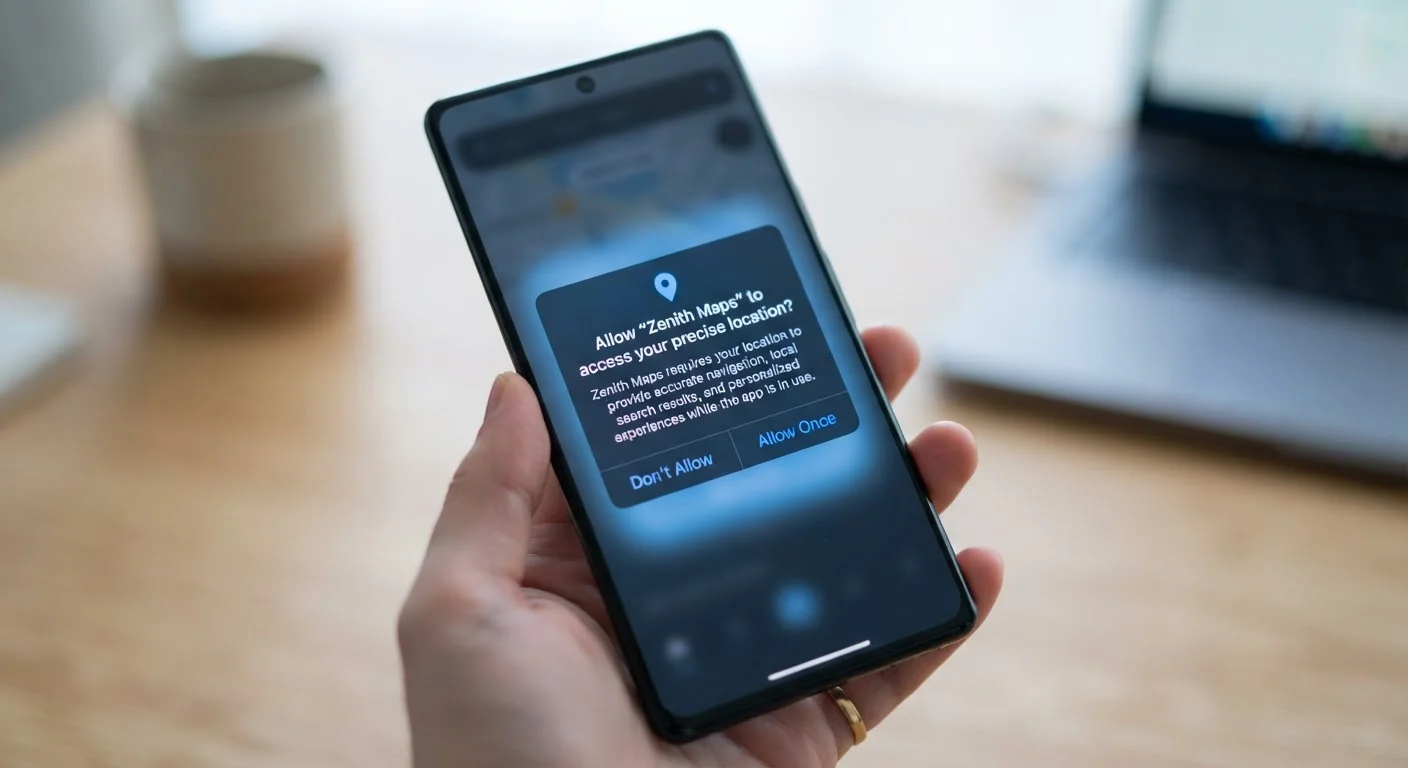
Photo: HorizonMetric.com | One Destination For Everyday Insights editorial
—— In This Article
Key Takeaways
- Granting a permission gives an app ongoing access until you manually revoke it.
- Some permissions are necessary for an app to work; others are optional data collection.
- Location, microphone, and contacts are among the most sensitive permissions to watch.
- You can review and revoke app permissions anytime through your phone's settings.
- App privacy labels in app stores can help you understand data practices before you download.
What You're Actually Agreeing To
When a newly downloaded app asks to access your location or contacts, most people tap 'Allow' without much thought. It feels routine. But that tap is a real decision with real consequences for your privacy.
Each permission you grant gives the app a direct channel into a specific part of your device or life. Location data can reveal where you live, work, and spend time. Contact lists expose information about people who never consented to share it. Camera and microphone access, if misused, can go further still.
The data collected through permissions doesn't just sit on your phone. Depending on the app's privacy policy, it may be stored on company servers, shared with advertising partners, or used to build a detailed profile of your behavior. Your digital activity adds up — something explored in more depth in our article on your digital footprint.
89%
Americans concerned about data privacy
According to a Pew Research Center survey, the vast majority of U.S. adults say they are concerned about how companies use data collected about them.
45+
Average apps installed per smartphone
Industry research consistently finds most smartphone owners have dozens of apps installed, many of which have been granted permissions and then rarely used again.
1 in 3
Apps sharing location with third parties
Studies from academic privacy researchers have found a significant share of popular apps transmit location data to advertising or analytics partners.
Which Permissions Deserve Extra Scrutiny
Not all permissions carry the same risk. Here's a practical way to think about them:
- Location: One of the most sensitive. Precise location tracks your movements over time. Choose 'While Using the App' rather than 'Always' whenever possible, and ask whether the app genuinely needs it at all.
- Contacts: Grants access to every name, number, and email in your address book — data about other people, not just you.
- Microphone and Camera: Necessary for video calls or photo apps, but worth questioning for apps with no obvious audio or visual function.
- Notifications: Less sensitive to your data, but granting this opens the door to constant marketing messages.
A useful rule of thumb: if a permission doesn't match what the app does, that mismatch is worth questioning. A flashlight app has no reason to need your contacts.
Check Permissions Before You Download
Before installing a new app, look up its privacy label in the App Store or Google Play Data Safety section. If it claims to collect location, contacts, or financial data for an app type that has no obvious need for it, consider that a reason to pause. A few seconds of review can save you from sharing data you never meant to.
How App Stores and Regulations Try to Help
Apple's App Store requires developers to display 'nutrition label'-style privacy summaries showing what data an app collects and whether it's linked to your identity. Google Play has introduced a similar Data Safety section. These aren't guarantees — they rely on developers self-reporting accurately — but they give you a starting point before you download.
In the U.S., federal privacy law for apps remains fragmented, though some states (notably California) have passed broader consumer data rights. The Federal Trade Commission has taken action against companies that misuse data collected through apps, but enforcement is not comprehensive.
Self-Reported Data Isn't Always Verified
App store privacy labels depend on developers accurately disclosing their own data practices. Researchers have found cases where apps collected more data than their labels indicated. Using permissions controls on your device is a more reliable safeguard than trusting disclosures alone.
Beyond apps, it's worth knowing that your browsing behavior is tracked in similar ways. Our guide to browser privacy settings worth changing walks through practical adjustments that reduce that exposure.
Taking Back Control
You don't have to accept permissions as a one-time, permanent decision. Both iPhone and Android let you review and change permissions for every app on your device — anytime.
A practical starting point: open your phone's privacy settings and look at which apps have access to your location, microphone, and contacts. You may find apps you rarely use still have broad access. Revoking permissions from dormant apps is a low-effort way to reduce your exposure.
For social apps especially, it's worth pairing permission reviews with a broader privacy checkup. Our social media privacy walkthrough covers the settings most people miss.
Ultimately, permissions are a tradeoff — convenience versus privacy. The goal isn't to deny everything, but to make that tradeoff deliberately, knowing what you're giving up and what you're getting in return.
Frequently Asked Questions

Technology Editorial Team
Technology Editorial Team is the collective byline for our editorial team and contributor network. Articles published under this byline or an editorial pen name are researched, written, and reviewed according to our editorial standards for clarity, consistency, and independence before publication.
View author profile