
Always-On Listening: What Smart Speakers Actually Do With Your Voice
How wake words work, what gets sent to the cloud, and what the difference is between local and remote processing.
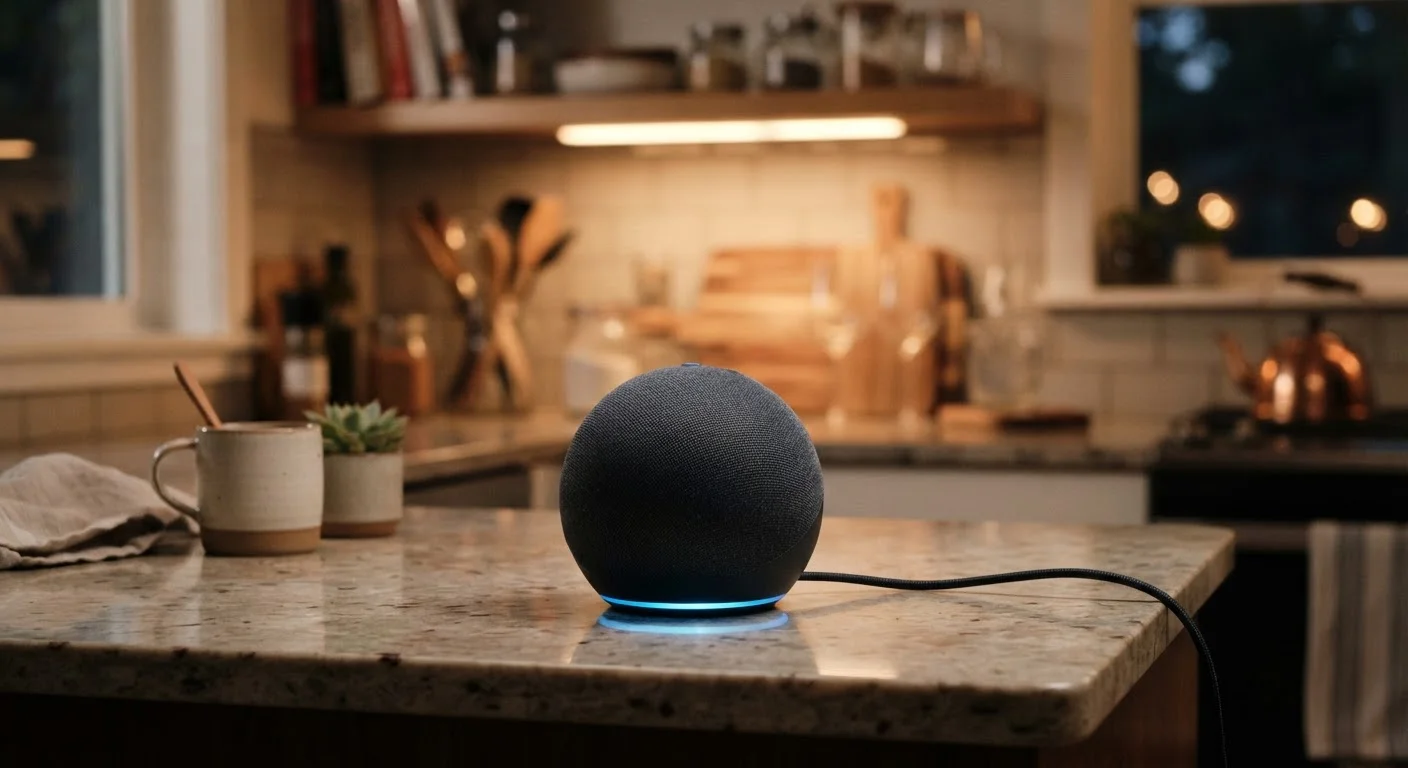
Photo: HorizonMetric.com | One Destination For Everyday Insights editorial
—— In This Article
Key Takeaways
- Smart speakers use a local chip to detect wake words before sending any audio to the cloud.
- Only audio captured after the wake word is heard gets transmitted to company servers for processing.
- Accidental activations do happen and can result in short unintended audio clips being sent and stored.
- Most major platforms let you review and delete your stored voice recordings in account settings.
- Local processing keeps some data on-device; remote processing sends it to company servers for a full response.
- You can reduce privacy exposure using mute buttons, reviewing privacy settings, and deleting saved recordings.
How Wake Words Actually Work
Inside every smart speaker is a small, dedicated processor running what engineers call an acoustic model — essentially a pattern-matcher trained to recognize one specific sound: the wake word. This processor runs continuously on the device itself, using very little power, and it isn't connected to the internet for this task. It's just listening for its name.
When the microphone picks up audio that matches the wake word pattern closely enough, the device lights up, starts recording, and sends that audio — plus everything you say immediately after — to the company's servers. That's the moment data leaves your home.
This matters because it means the device is not transcribing your dinner conversation or your phone calls. The local chip isn't capable of that, and it isn't designed to. For a deeper look at what these devices can and can't do, see our breakdown of voice-enabled devices.
Test Your Own Wake Word Sensitivity
Speak your wake word clearly from different rooms and at different volumes to get a feel for how sensitive your device is. If it activates too often by accident, check the device's settings app — some models let you adjust sensitivity directly. Fewer false triggers mean fewer unintended recordings.
What Gets Sent to the Cloud — and What Stays Local
Once the wake word triggers the device, your spoken request travels over your Wi-Fi connection to the company's servers. There, much more powerful computers interpret your words, determine your intent, and formulate a response. This is called remote or cloud processing.
Some tasks — setting a timer, playing a saved playlist, or controlling a smart bulb connected directly to the device — can be handled with local processing, meaning the device responds without sending data to a server. But anything requiring real-world knowledge (weather, news, general questions) needs the cloud.
~1–2 sec
Typical cloud round-trip for a voice response
Audio travels to company servers, is interpreted, and a response is returned — generally within one to two seconds on a standard home broadband connection.
Millions
Voice clips stored by major platforms annually
Each major voice assistant platform accumulates large volumes of user voice recordings; exact figures vary by platform and are disclosed in company transparency reports.
What gets stored on those servers varies by platform and your settings. By default, many services save a clip of your voice request, linked to your account. These clips are used to improve the assistant's accuracy over time. You can usually review and delete them in your account's privacy or voice history section.
If you're new to these devices and want a plain-language primer on what they do day-to-day, our introduction to smart home devices covers the basics without the jargon.
The Real Privacy Risk: False Activations
The wake word system isn't perfect. Words that sound similar — a TV commercial, a name in conversation, or even a specific phrase in a podcast — can trigger the device unintentionally. When that happens, a short clip of your conversation gets recorded and sent to the server just as if you'd spoken a command.
Researchers and journalists have documented this happening in real homes. The clips are usually short and often unintelligible, but they are stored on company servers unless you delete them. This is the most concrete privacy concern with always-on listening — not constant surveillance, but unpredictable, accidental recording.
What Companies Say They Do With Clips
Major platforms publish privacy policies stating that stored voice clips are used to improve speech recognition accuracy — sometimes reviewed by human contractors, a practice that generated significant public attention when it became widely reported. Most platforms now let you opt out of human review in your account settings. Reading the privacy policy for your specific device is the most reliable way to understand current data practices.
It's worth separating this real risk from some of the broader myths people carry about smart home devices. Our article on common smart home myths addresses several misconceptions worth reading through.
Practical Steps to Reduce Your Exposure
You don't have to choose between using a smart speaker and protecting your privacy — but you do need to know what controls exist.
- Use the hardware mute button. This physically disconnects the microphone. The device cannot hear anything, period. It's the most reliable privacy control available.
- Review your voice history. Log in to your account on the platform's app or website, find the voice or privacy section, and look at stored recordings. Delete what you don't want kept.
- Enable auto-deletion. Most major platforms now offer options to automatically delete recordings after three months or shorter. Turn this on if long-term storage concerns you.
- Adjust wake word sensitivity. Some devices let you tune how easily they activate. A less sensitive setting means fewer false triggers, at the cost of occasionally having to repeat yourself.
No setting eliminates all risk, and no company can guarantee that a false activation will never occur. But these steps meaningfully reduce how much audio is stored about you without your intent.
Frequently Asked Questions

Technology Editorial Team
Technology Editorial Team is the collective byline for our editorial team and contributor network. Articles published under this byline or an editorial pen name are researched, written, and reviewed according to our editorial standards for clarity, consistency, and independence before publication.
View author profile