
Smart Home Devices for People Who Don't Consider Themselves Tech-Savvy
A friendly introduction to smart speakers, plugs, bulbs, and thermostats — what they do and how they connect.
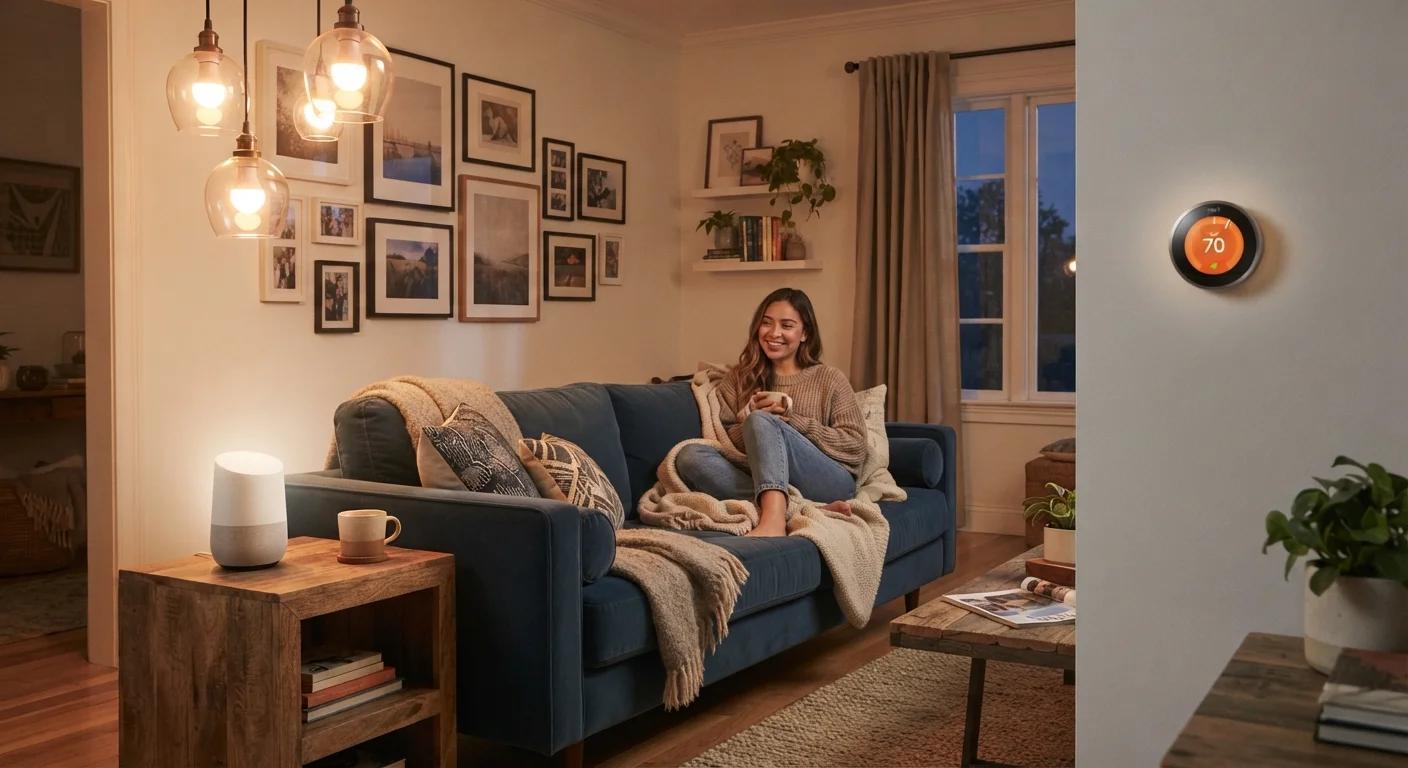
Photo: HorizonMetric.com | One Destination For Everyday Insights editorial
—— In This Article
Key Takeaways
- Smart home devices connect to your Wi-Fi so you can control them remotely or by voice.
- Smart plugs and bulbs are the lowest-friction starting points — no wiring or expertise required.
- Smart thermostats can adjust heating and cooling automatically, but installation varies by home.
- Not every device works with every other device — compatibility matters before you buy.
- A smart speaker acts as a central voice-control point for many other smart devices.
What 'Smart' Actually Means
The word smart is used a lot in tech marketing, but the core idea is simple: a smart device is one that connects to your home Wi-Fi network and can be controlled remotely — through a phone app, a voice command, or an automated schedule you set up in advance.
That is the entire concept. A regular lamp sits there and waits for you to flip its switch. A smart bulb in that same lamp can be turned off from your phone while you are already in bed, or set to dim automatically at 9 p.m. every night. The underlying technology is more complex, but from a user perspective, smart devices are about convenience and control.
Wi-Fi
The wireless network in your home that connects devices to the internet without cables. Smart devices use it to receive commands and send status updates to your phone or voice assistant.
Voice assistant
Software that listens for a specific spoken trigger word and then responds to spoken questions or commands. Examples are built into smart speakers and many phones.
App
A program you install on your smartphone or tablet. Most smart devices come with a dedicated app that acts as the control panel for that device.
Hub
A central device that acts as a translator between smart devices and your Wi-Fi network. Not all smart home setups require one — many devices connect directly to Wi-Fi on their own.
Firmware
The built-in software that runs on a smart device itself. Manufacturers release updates to fix bugs and security issues, similar to how your phone receives software updates.
If you are curious about common misconceptions before diving in, this rundown of smart home myths is a useful reality check.
Smart Speakers: The Voice-Controlled Hub
A smart speaker is a small device you place in a room — on a counter or a shelf — and speak to out loud. It contains a voice assistant, which is software that recognizes spoken commands and responds by answering questions, playing music, setting timers, or controlling other smart devices in your home.
Smart speakers do not require any other smart devices to be useful. Many people use them simply as hands-free music players or to ask quick questions. But they become especially practical when paired with things like smart bulbs or plugs, letting you say something like "turn off the living room lights" instead of reaching for your phone.
For a clearer picture of the range of voice-enabled devices available — including smart displays, which add a screen — see our explainer on what smart speakers and displays actually do.
Privacy and Smart Speakers
Smart speakers are designed to activate only when they detect their specific wake word — they are not meant to record all household audio continuously. However, false activations do occasionally occur. If this concerns you, our article on always-on listening and smart speakers explains in plain terms what actually gets sent to the cloud and what stays local.
Smart Plugs and Smart Bulbs: Easy Starting Points
If you have never tried a smart device before, these two are the natural starting place — and for good reason.
Smart plugs fit into any standard wall outlet. You plug them in, connect them to your Wi-Fi through an app, then plug any regular device — a lamp, a fan, a coffee maker — into the smart plug. From that point, you control power to that device through the app or a voice command. No wiring, no tools, no rewiring anything.
Smart bulbs screw into a regular light socket, just like a standard bulb. Once connected to your Wi-Fi, you can turn them on or off remotely, set schedules, or — depending on the bulb — change their brightness and color. Setup typically takes under ten minutes.
Start With One Device, Not a Bundle
It is tempting to purchase a multi-device starter kit, but beginning with a single smart plug or bulb gives you a low-stakes way to learn how the app works. Once you are comfortable, adding more devices feels straightforward rather than overwhelming.
Both types of devices are good for getting familiar with how smart home apps work before investing in anything more involved. For broader guidance on building out a setup, this walkthrough for setting up a smart home from scratch covers the planning process step by step.
Smart Thermostats: Comfort on Autopilot
A smart thermostat replaces the temperature controller already on your wall. Once installed, it connects to your Wi-Fi so you can adjust the temperature from your phone — whether you are on the couch or away from home. Many models also let you set schedules so your heating or cooling adjusts automatically based on the time of day or whether anyone is home.
The practical appeal is real: being able to turn the heat up before you leave work, or check that the air conditioning is not running in an empty house. Some models learn your household's patterns over time and suggest settings adjustments, though that feature varies by product.
Installation is more hands-on than a smart plug. Most smart thermostats require checking that your current wiring is compatible, and some homes — particularly older ones — may need a professional to install them properly. For an honest look at what changes after you put one in, see our article on what to expect from a smart thermostat.
How These Devices Connect and Work Together
Each smart device connects to your home Wi-Fi, but many also use a secondary wireless protocol — a short-range communication standard — to talk to each other or to a central hub. The most common ones are Zigbee, Z-Wave, and a newer standard called Matter. You do not need to memorize these terms, but knowing they exist explains why two devices from different brands might not work together automatically.
Before expanding your setup, it is worth checking whether the devices you are interested in share a compatible standard or ecosystem. Mixing brands carelessly can lead to devices that cannot communicate, requiring separate apps and offering no way to coordinate them. Our guide on getting smart home devices from different brands to work together goes deeper on this.
Home Tech Setup Hub
A central resource for Wi-Fi, smart home, and streaming setup guidance. Useful for navigating all the moving parts of a connected home without prior experience.
Home Organization Hub
Smart strategies for simplifying and organizing your living space — including how connected devices can support a more organized household routine.
Starting small — one smart plug, one bulb, or one speaker — lets you get comfortable with the app experience before committing to a larger setup. There is no requirement to build everything at once, and simpler is often more reliable.
Frequently Asked Questions

Technology Editorial Team
Technology Editorial Team is the collective byline for our editorial team and contributor network. Articles published under this byline or an editorial pen name are researched, written, and reviewed according to our editorial standards for clarity, consistency, and independence before publication.
View author profile