
Smart Speakers, Smart Displays, and Voice Assistants: What Each One Actually Does
Confused by the range of voice-enabled devices? This explainer breaks down what each type does and where they fit in a home setup.
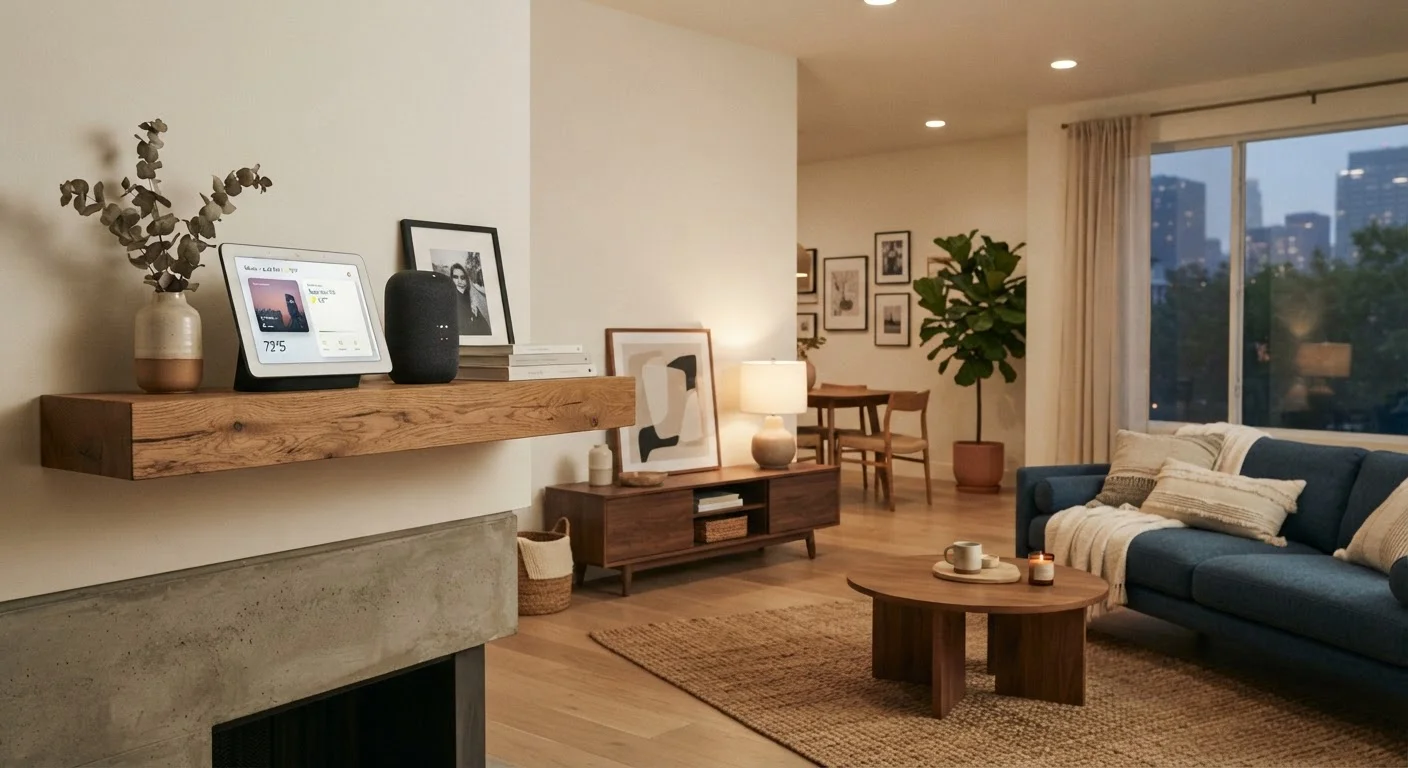
Photo: HorizonMetric.com | One Destination For Everyday Insights editorial
—— In This Article
Key Takeaways
- Smart speakers are audio-only devices good for music, timers, and quick questions.
- Smart displays add a screen, making them useful for video calls, recipes, and visual controls.
- The voice assistant is the software brain — it can live on speakers, displays, phones, or TVs.
- These three terms describe different things and are not interchangeable.
- Compatibility between your devices matters more than any single gadget's features.
Three Terms That Get Mixed Up Constantly
Walk into any electronics aisle — or scroll through any retail site — and you'll see the words "smart speaker," "smart display," and "voice assistant" used almost interchangeably. They're not the same thing. Mixing them up leads to buying a device that doesn't do what you expected, or setting up a home where devices don't cooperate.
Here's the cleanest way to separate them: the voice assistant is software, while smart speakers and smart displays are hardware — physical devices that run that software. One is a brain; the other two are different-shaped bodies for that brain to live in.
This distinction matters especially if you're thinking about building a smart home from scratch, where what you buy first shapes what you can add later.
The Wake Word Is Not the Same as the Assistant
"Alexa," "Hey Google," and "Siri" are wake words — trigger phrases that tell the device to start listening. They're named after the assistants, but the wake word itself is just a cue. The actual processing and response generation happens in software on remote servers after the wake word is detected. This distinction matters when thinking about privacy and how your voice data is handled.
Smart Speakers: Audio First, Everything Else Second
A smart speaker is a wireless speaker with a microphone array and an internet connection. Its primary job is to play audio — music, podcasts, news briefings, audiobooks. The "smart" part means it's also listening for a wake word so you can control it with your voice instead of tapping a button.
When you ask it a question, the device records a short clip of your voice, sends it to a server over the internet, processes the request, and speaks an answer back to you — all within a second or two. It can also act as a control point for compatible smart home devices: tell it to dim the lights or lock the front door, and it relays that command.
What a smart speaker cannot do is show you anything. There's no screen. If you ask for a recipe, it reads the steps aloud. If you want a video call, you're out of luck. For many households, that's a perfectly acceptable trade-off — especially in a kitchen or bedroom where you mostly want hands-free audio and quick answers.
Placement Affects Usefulness More Than Features
A smart speaker or display you barely interact with is probably in the wrong room. Think about where you most often have your hands full — the kitchen, the laundry room, a home office — and start there. The right location makes the device feel essential rather than like a novelty.
Smart Displays: When a Screen Changes What's Possible
A smart display is essentially a smart speaker with a touchscreen bolted on. It does everything a smart speaker does, and then adds a visual layer on top. That might sound like a minor upgrade, but it meaningfully changes how you use the device day-to-day.
With a screen, you can see a recipe laid out step by step instead of listening to it read aloud. You can make video calls. You can see a live feed from a security camera or a visual dashboard showing which smart home devices are on or off. Some displays show calendar events, weather forecasts, or photo slideshows when idle.
Smart displays tend to be placed in spots where you'd naturally glance at a screen: the kitchen counter, a desk, or a nightstand. They're less portable than a phone, but more purpose-built for quick, glanceable information while your hands are busy.
The Voice Assistant: Software That Runs the Show
The voice assistant — names like Alexa, Google Assistant, or Siri — is the software layer that understands your speech, figures out what you're asking for, and generates a response. It isn't tied to one device. The same assistant can run on a smart speaker in your living room, a smart display in your kitchen, your smartphone, and even your car's infotainment system.
Each assistant has its own strengths, quirks, and ecosystem of compatible devices. Switching between them isn't always easy, which is why it's worth thinking about which one fits your existing devices before you accumulate a house full of hardware. For a deeper look at how compatibility standards affect your choices, see this guide on getting devices from different brands to work together.
It's also worth knowing that voice assistants are software — they get updated, sometimes dramatically, without you doing anything. Features available today may change, and privacy policies around how your voice data is handled can shift. The explainer on what smart speakers do with your voice covers this in detail.
35%
U.S. adults who own a smart speaker
According to Pew Research Center survey data, roughly one in three American adults reported owning a smart speaker.
3+
Average smart devices per U.S. smart home
Consumer research from Parks Associates has found that connected households in the U.S. typically operate several smart devices simultaneously, underscoring the importance of compatibility.
Which One Do You Actually Need?
Think about where you'd put a device and what you'd most often ask it to do. If the answer is "play music while I cook" or "set a timer without touching anything," a smart speaker covers the job. If the answer includes "show me who's at the door" or "walk me through this exercise routine," a display earns its larger footprint and higher price.
You don't have to pick just one type, and you don't need to fill every room. A lot of people start with one device in the room where they spend the most time and add others only when a specific need comes up. That approach tends to produce less buyer's remorse than buying a full suite upfront — a point explored further in the article on common smart home myths.
The most important thing is knowing what each category actually does before you commit, so the device you bring home matches the job you have in mind.
Frequently Asked Questions

Technology Editorial Team
Technology Editorial Team is the collective byline for our editorial team and contributor network. Articles published under this byline or an editorial pen name are researched, written, and reviewed according to our editorial standards for clarity, consistency, and independence before publication.
View author profile