
Your Phone Battery Is Lying to You — Here's Why
Battery percentages are estimates, not measurements. Learn how lithium-ion cells really work and why that 1% lingers so long.
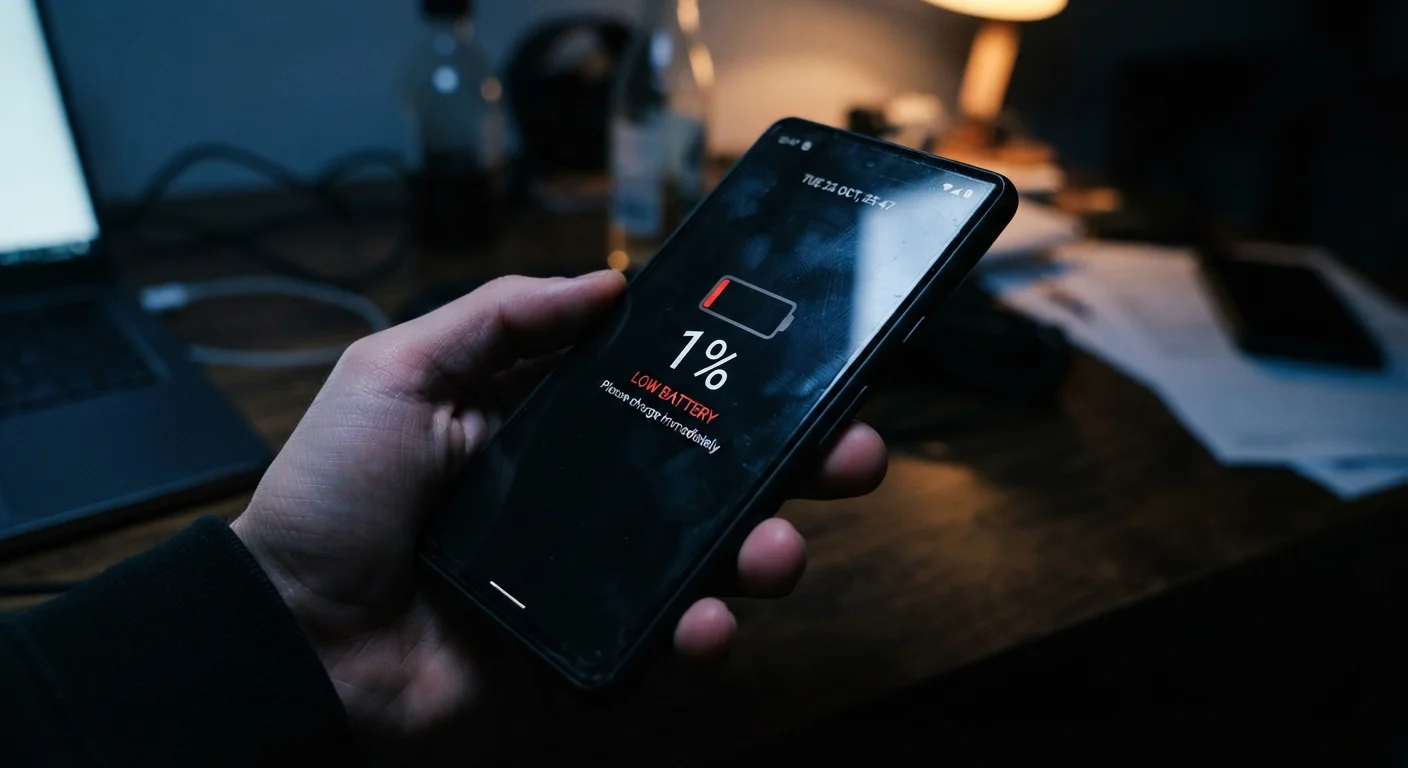
Photo: HorizonMetric.com | One Destination For Everyday Insights editorial
—— In This Article
Key Takeaways
- Battery percentages are software estimates, not direct measurements of remaining charge.
- Lithium-ion cells degrade over time, making those estimates less accurate as your phone ages.
- Charging habits can slow — but not fully prevent — natural battery degradation.
- Extreme temperatures are one of the fastest ways to shorten lithium-ion battery life.
- A battery that reads 0% still holds some charge — phones shut down early to protect the cell.
The Number on Your Screen Is a Guess
Your phone's battery percentage feels precise — down to the single digit. But that number isn't measured the way a ruler measures inches. It's calculated by software called a battery management system (BMS), which continuously monitors voltage, temperature, and current flow to estimate how much usable energy remains.
The problem is that lithium-ion batteries — the kind inside virtually every smartphone — don't discharge in a neat, predictable line. Voltage drops unevenly depending on how hard you're pushing the phone. Stream a video while standing outside on a cold day and your phone might drop from 30% to 10% in minutes. Sit still and read an e-book and that same 30% could last hours. The BMS is doing its best with imperfect data.
This is also why your battery percentage sometimes jumps or stalls. The software is continuously recalibrating. That stubborn 1% that seems to last forever? The BMS is buying time while it figures out exactly where the true bottom is. For more on how your phone's internals make these kinds of split-second calculations, see our plain-language guide to smartphone components.
Myth
The percentage shown on my phone is an exact measurement of how much battery is left.
Fact
It's a software estimate based on voltage and usage patterns — not a direct measurement.
Battery management software infers remaining capacity from indirect signals like voltage curves and temperature. Because lithium-ion cells behave differently under different loads and conditions, these estimates carry a margin of error. The heavier the load on your phone, the less reliable the figure in the corner of your screen.
Myth
Leaving my phone plugged in all night will ruin the battery.
Fact
Modern smartphones stop accepting charge once full, so overnight charging rarely causes significant harm on its own.
Phones have overcharge protection built into both the hardware and the charging software. Once the battery hits 100%, the system stops the current flow and switches to a trickle that merely offsets natural self-discharge. Heat from the charger itself is the more legitimate concern — using a well-ventilated spot and a properly rated charger matters more than unplugging at midnight.
Myth
When my phone dies, the battery is completely empty.
Fact
Phones shut down with a small reserve of charge deliberately kept in place to protect the battery cell.
Completely draining a lithium-ion battery to true zero causes irreversible chemical damage. To prevent this, the battery management system triggers a shutdown while a small protective buffer remains. That's also why a phone that appeared dead can sometimes power on briefly when plugged in — it wasn't truly empty.
Myth
Cold weather is good for battery life because it keeps things cool.
Fact
Cold temperatures temporarily reduce a lithium-ion battery's ability to deliver power and can cause premature shutdowns.
While heat causes long-term chemical degradation, cold creates a different problem: it slows the chemical reactions inside the cell that generate electricity. This means a cold battery can't supply current as efficiently, so your phone may read 40% and shut off moments later. The effect is largely temporary — warming the phone up usually restores normal behavior — but it explains why phones behave erratically in winter.
Myth
Replacing my phone's battery will make it perform like new again.
Fact
A new battery restores capacity but does not reverse other forms of wear inside the phone.
Battery replacement is worthwhile when degradation is the main issue — it can meaningfully extend a phone's useful life. But other components age independently: the processor, storage chips, and software can all contribute to slowdowns over time. A fresh battery helps with stamina, not necessarily with every aspect of performance.
What Actually Wears Out Your Battery
Battery degradation is real, gradual, and inevitable — but the causes are often misunderstood. Heat is the single biggest culprit. Leaving your phone on a sun-baked car dashboard or charging it under a pillow generates heat that accelerates chemical breakdown inside the cell. Cold weather isn't friendly either: it temporarily reduces a battery's ability to deliver power, which is why phones sometimes shut off in winter even with charge to spare.
Heat Is the Biggest Battery Killer
Sustained exposure to high temperatures — from direct sunlight, hot car interiors, or even charging under a pillow — accelerates the chemical breakdown of lithium-ion cells permanently. Unlike a cold-weather slowdown, heat damage doesn't reverse when the phone cools down. Keep your phone out of hot environments, especially while charging.
Charge cycles matter too, but not the way most people think. A charge cycle is one full discharge and recharge — using 50% twice counts as one cycle, not two. Most lithium-ion batteries are rated for several hundred full cycles before capacity noticeably drops. Keeping your phone plugged in overnight generally won't ruin it; modern phones stop drawing current once full. What does cause wear is repeatedly charging to 100% and draining to near zero. For practical habits that help your devices last longer, check out our guide to keeping devices running well.
~500
Typical full charge cycles before noticeable capacity loss
Battery manufacturers commonly rate lithium-ion cells for around 500 full charge cycles before capacity drops to roughly 80% of original.
20–80%
Recommended charge range to reduce long-term wear
Battery researchers generally suggest keeping lithium-ion cells in this range for day-to-day use to reduce chemical stress on the cell.
Getting More Out of the Battery You Have
No charging habit will restore a degraded battery, but a few adjustments can slow the decline and squeeze more reliable daily life out of what you have. Keeping charge levels between roughly 20% and 80% is widely cited by battery researchers as a gentler range for lithium-ion chemistry — though in practice, an occasional full charge or drain won't cause dramatic harm.
Screen brightness, background app activity, and wireless radios (including the constant juggle your phone does between Wi-Fi and cellular) all pull from the same battery. Understanding how your phone prioritizes those connections can help you manage drain. See how your phone decides between Wi-Fi and cellular data — it's a bigger factor in battery life than most people realize.
And just like your phone quietly hides some storage space from you — 128GB phones fill up faster than the label implies — it also reserves a buffer of battery capacity you never see. That hidden buffer protects the cell from the deep discharges that cause the most chemical stress. So when your phone hits zero and shuts off, there's still a small amount of charge left — deliberately kept out of reach.

Technology Editorial Team
Technology Editorial Team is the collective byline for our editorial team and contributor network. Articles published under this byline or an editorial pen name are researched, written, and reviewed according to our editorial standards for clarity, consistency, and independence before publication.
View author profile